
04:40. The end of day should have finished at three. Branches open at nine, the card interface is already queuing, the morning reports aren't there, and the operations team is about to spend today fixing yesterday.
Nobody planned it this way. At go-live the cycle fitted into the night with hours to spare. Then it started to drift: a few minutes every quarter, a little more at every month-end, until one night it simply didn't finish.
The reflexes are always the same: add CPU, reorder a few jobs, move the heaviest report. Each buys a few weeks. Then the drift comes back, because there is rarely one guilty job. A late EOD is the sum of years of small decisions, and you can't tune what you haven't measured.
If you can't name the jobs on your critical path, every euro you spend on the EOD is a bet.
How FLEXCUBE closes the day
Oracle FLEXCUBE Universal Banking closes the day in stages, and batches can be attached to each one:
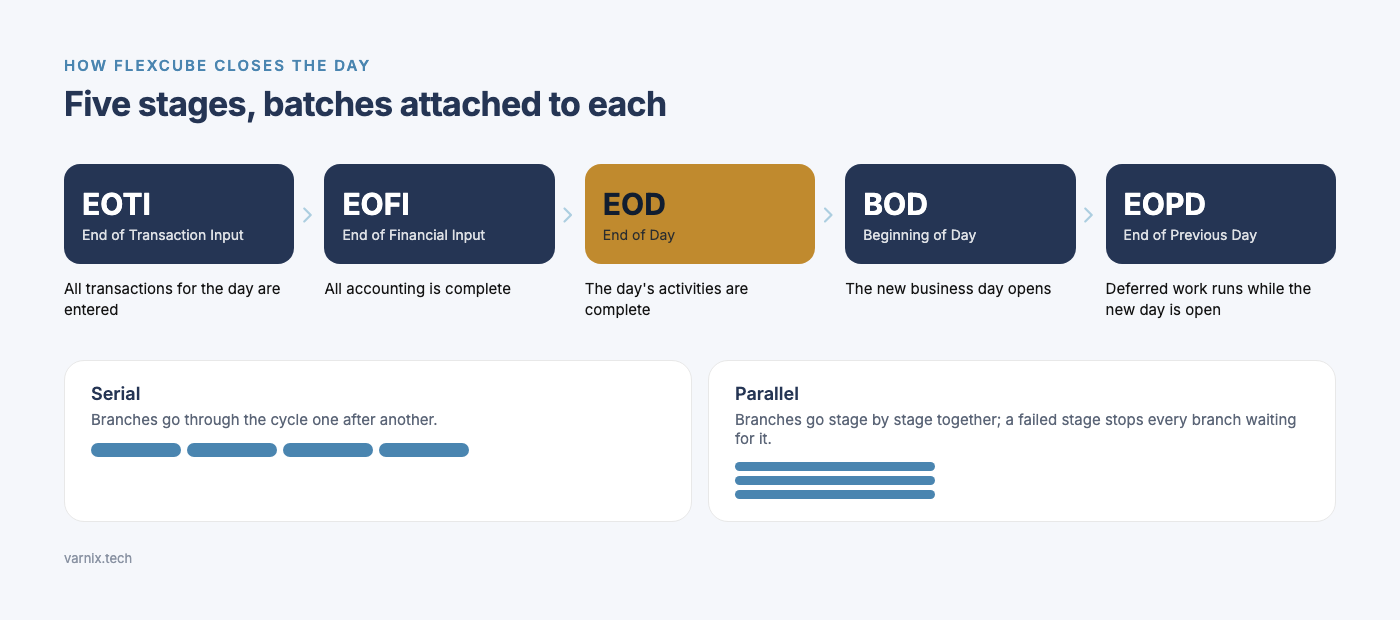
- EOTI, End of Transaction Input: all transactions for the day are entered.
- EOFI, End of Financial Input: all accounting is complete.
- EOD, End of Day: the day's activities are complete before the system moves on.
- BOD, Beginning of Day: the new business day opens.
- EOPD, End of Previous Day: the work deferred from last night's EOD runs, while the new day is already open.
EOD is defined and run per branch, and the bank decides how the branches go through it: one after another (serial) or stage by stage together (parallel), in a single session or in several threads, in which branch groups and in what order. In parallel mode, a stage that fails stops for every branch still waiting for it. Job order, dependencies and these settings decide how much of the night the cycle really uses.
Six places the hours hide
In the estates we look at, the hours come from six places. It is almost never just one.
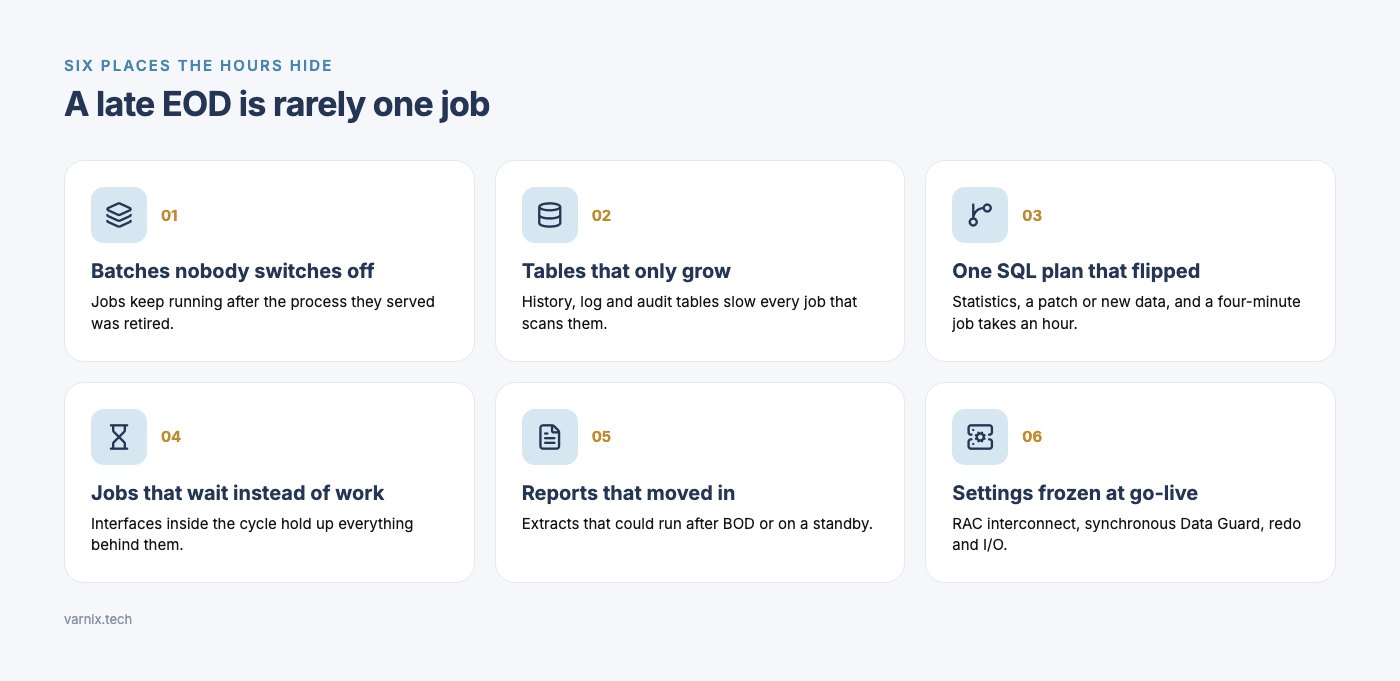
1. Batches nobody switches off. Every new product, charge, statement type or interface adds a job to some stage. Almost nothing is ever removed. Some jobs keep running long after the process they served was retired. Others run in the night window although nothing needs their output until the morning.
2. Tables that only grow. History, log and audit tables grow every day, and every job that scans them slows down with them. FLEXCUBE has its own archival and purge batches, and in current releases they run at EOPD, outside the night window. If they are switched off, or retention is set to forever, every night is a little longer than the last. Partitioning helps too, but it is a separately licensed Oracle option.
3. One SQL plan that flipped. A handful of statements usually does most of the work in an EOD. Refresh the optimizer statistics, apply a patch or let the data distribution shift, and the plan for one of them can flip. A job that took four minutes now takes an hour, and the job itself hasn't changed.
4. Jobs that wait instead of work. Interfaces to the GL, cards, AML or the data warehouse sit inside the cycle. One job waits for a file or a response, and everything behind it waits too. Chains run one after another where parts of them could run side by side.
5. Reports that moved in and never left. Regulatory reports and warehouse extracts often live in the EOD because that is where someone put them years ago. Many of them could run after BOD or on an Active Data Guard standby, as long as they read the data as at close of business and write nothing back. Active Data Guard is a separately licensed option.
6. Database and HA settings frozen at go-live. On RAC, a batch spread across instances can spend the night shipping the same blocks over the interconnect; in AWR it shows up as the Cluster wait class. With Data Guard in synchronous mode, a commit doesn't complete until the redo has reached the standby, so a job that commits after every row pays a network round trip every time. Both happen more often than banks expect. Redo, I/O and memory settings sized for go-live volumes don't match today's.
Measure before you touch anything
Start with history, not with the worst night anyone remembers:
- Duration per stage and per job over several months. The trend shows which jobs grow and which stay flat. Compare an ordinary day with a month-end.
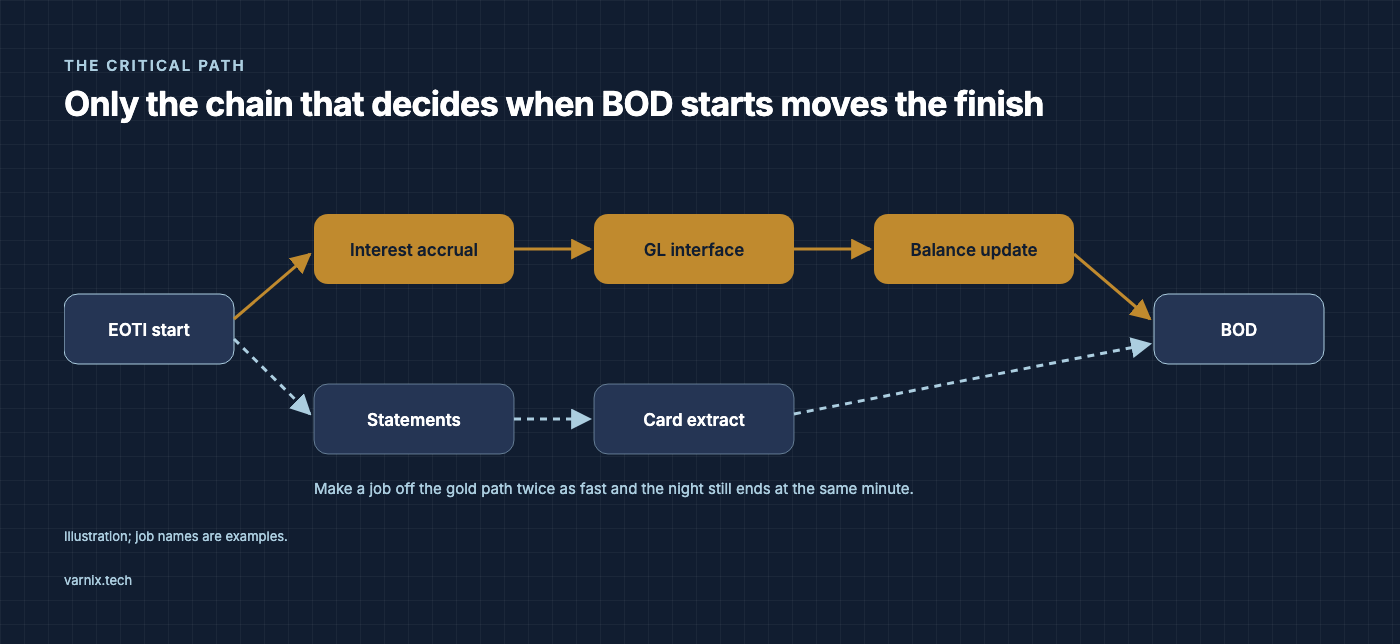
- The critical path. Only the jobs on the chain that decides when BOD can start move the finish time. Make any other job twice as fast and the night still ends at the same minute.
- AWR and ADDM for the EOD window. The top statements by elapsed time and by executions, and what the database spends its time waiting on.
- Configuration. Job order, dependencies, run mode, threads and the batches at each stage, compared with what the bank actually needs today.
From findings to a plan
Rank every finding on two axes: the minutes it takes off the critical path, and the effort and risk of the change. The best returns are often the least glamorous.
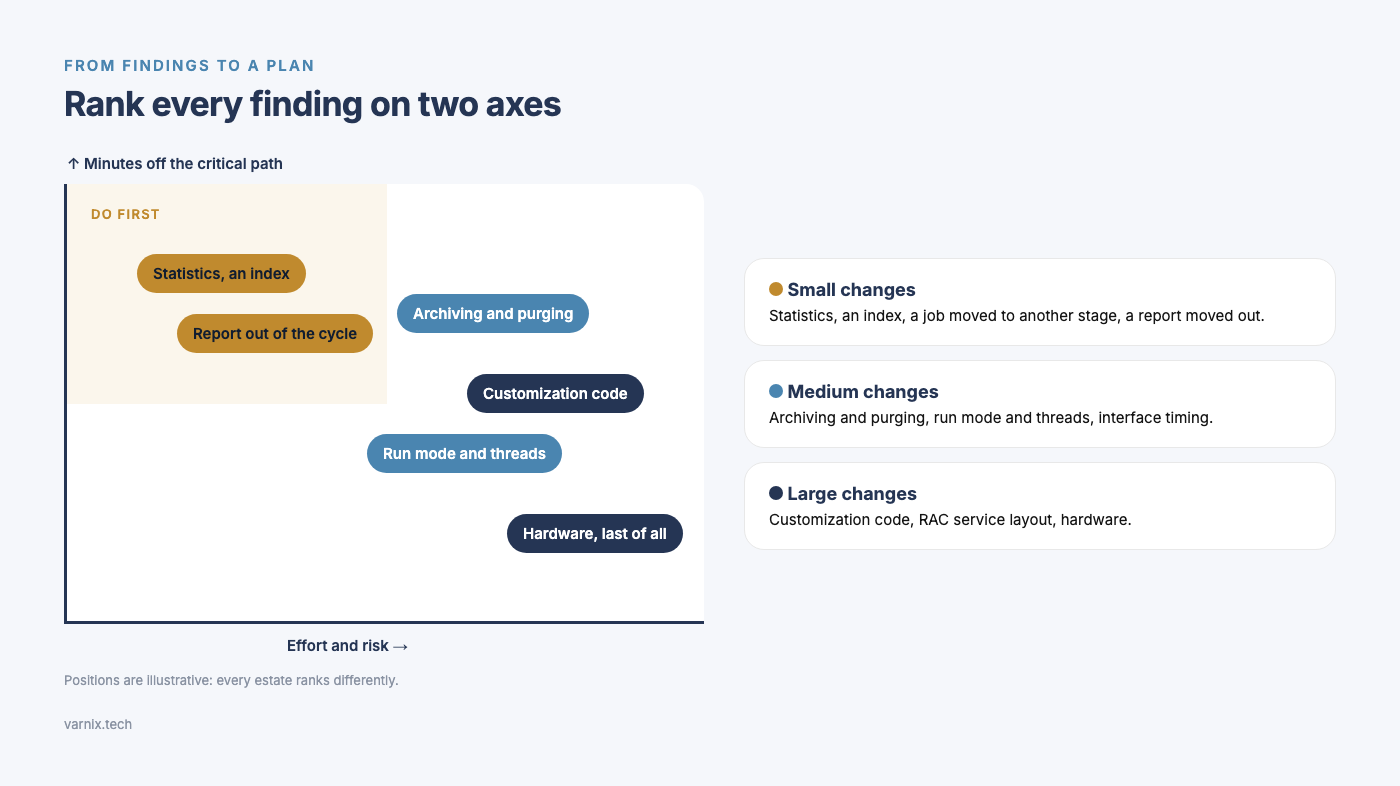
- Small changes: statistics, an index, a job moved to another stage, a report moved out of the cycle.
- Medium changes: archiving and purging, run mode and threads, interface timing.
- Large changes: code in customizations, the RAC service layout and, last of all, hardware.
Test every change on a production-size copy with a full EOD run before it goes anywhere near production. A tuning change that hasn't survived a full cycle is a guess.
Upgrading? Don't carry the slow jobs across
If a move from 12.x to 14.x is on the roadmap, feed the EOD findings straight into it. Customizations that run in the EOD belong in the upgrade's customization register. A slow job migrated unchanged is still slow, just on a newer release. We covered the register in FLEXCUBE 12.x to 14.8: what breaks, and how to plan an upgrade that doesn't.
How we run the diagnostic
Our FLEXCUBE EOD diagnostic takes 15–20 days, is read-only and makes no changes in production. You get an executive evidence pack, the top-10 issues ranked by impact and effort, a technical appendix and a 90-day remediation plan, at a fixed scope and fixed price.
Before you sign off on the next server, find out where the hours actually go.